🔒 FOIP / PII Scanner (AI Auditor)
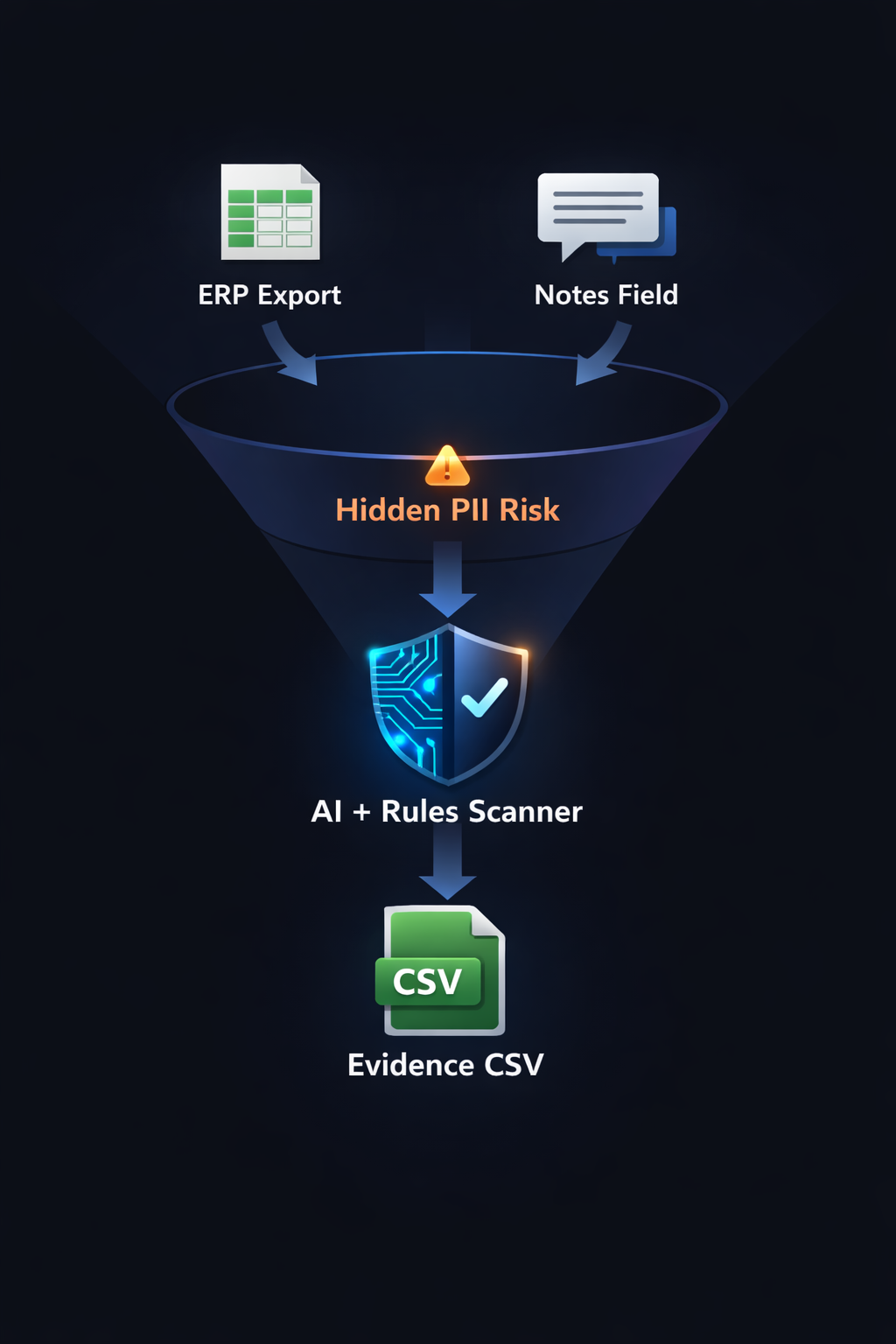
Goal: Catch privacy-risk text inside Notes / Comments / Description fields before exports get shared, emailed, archived, or turned into reports. This is a fast pre-screen that produces evidence tables for review (not a legal determination).
Procurement exports can look clean (VendorID, amounts, POs) until the Notes field contains personal emails, names, phone numbers, or confidential context. Structured columns are governed; free-text is not.
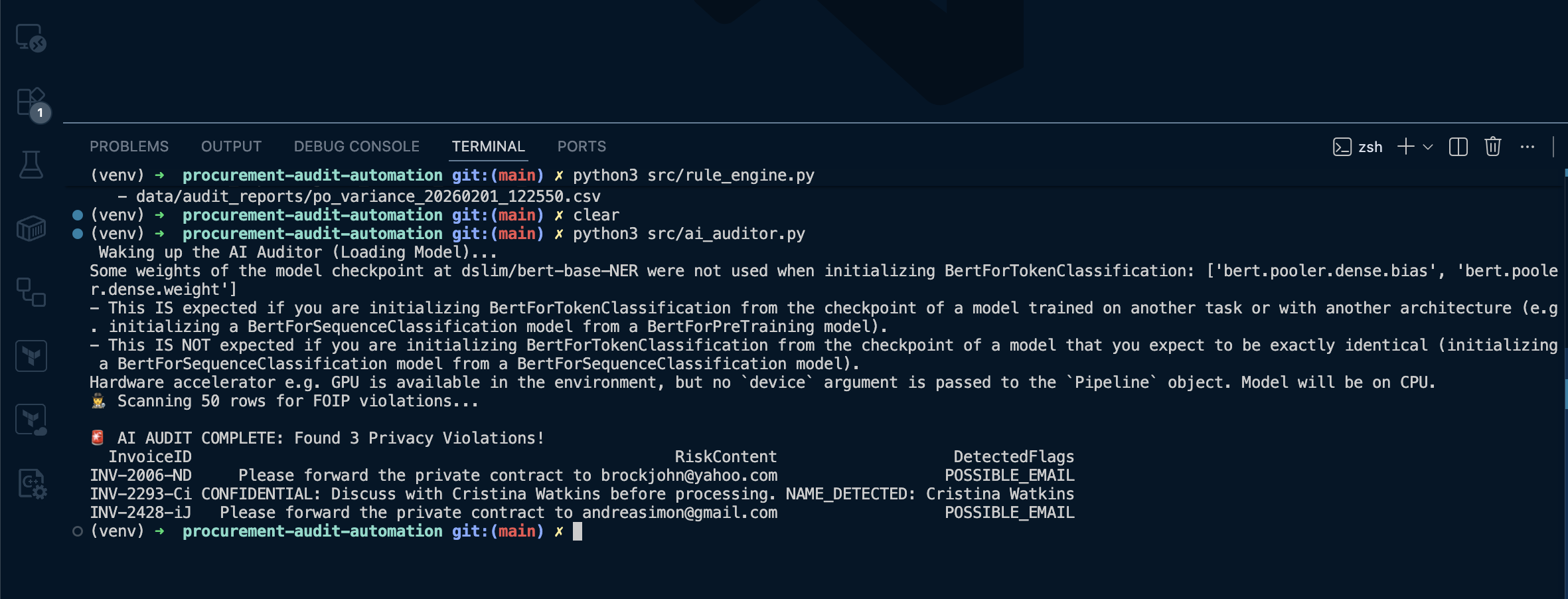
Each finding becomes a row with InvoiceID, RiskContent (the exact text), and DetectedFlags. This supports review workflows and audit trails.
✅ What the scanner flags
Detects likely PERSON names in text (entity group: PER) and applies a confidence threshold to reduce noise.
Flags email-like strings using simple checks (contains @ and .). Additional patterns (phone/postal/keywords) can be added as policy controls.
AI Rules Scanner
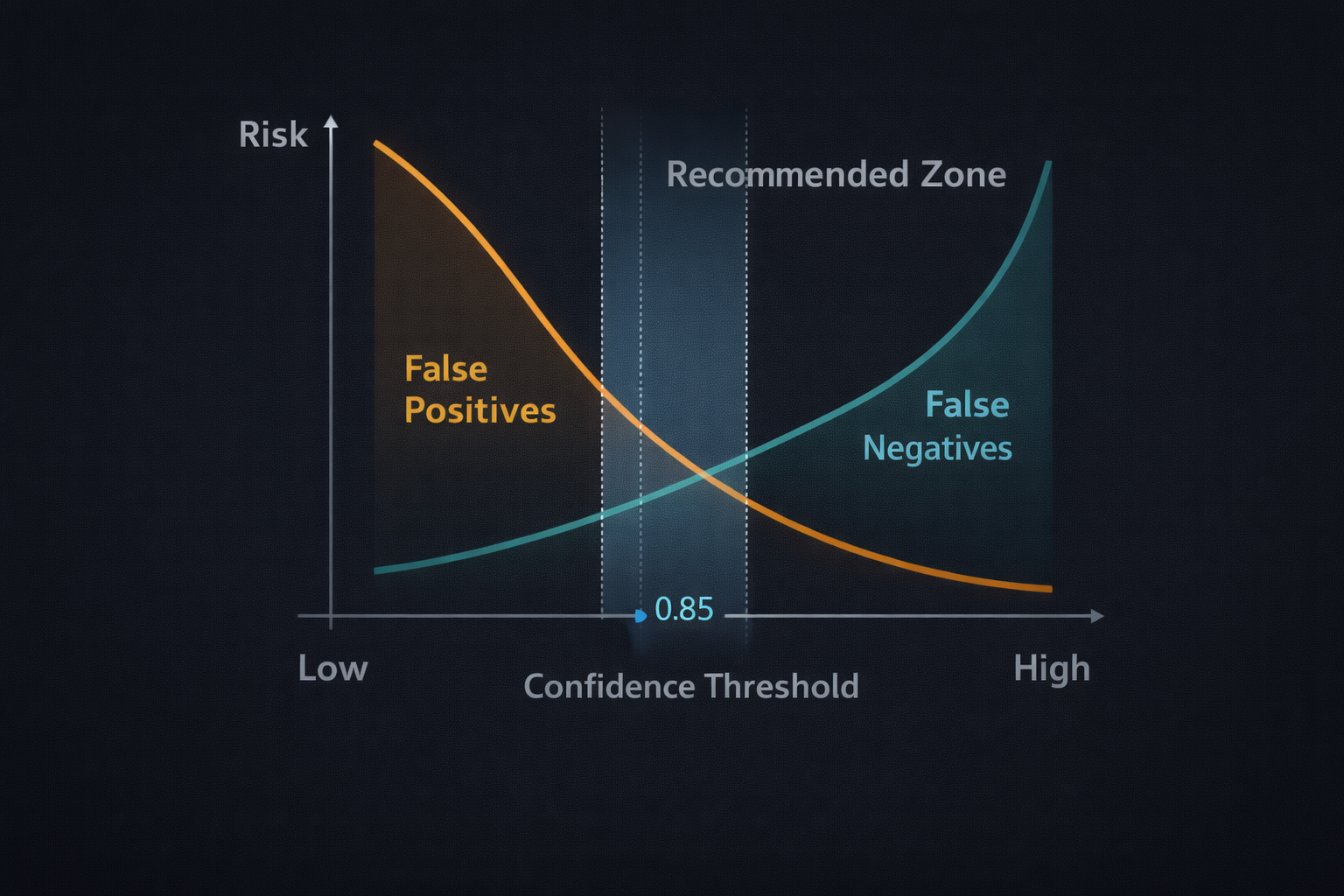
threshold_tradeoff
Output is designed for review: a clear identifier, the exact risky text, and the flags that triggered it.
The scanner produces an exception list for human review. It does not attempt to adjudicate compliance outcomes.
Confidence threshold (policy dial)
NER always returns guesses. A threshold prevents low-confidence fragments from becoming noise in audit evidence.
High-risk review may prefer more findings (lower threshold). High-volume operations may prefer less noise (higher threshold). Treat this as a versioned control like any other audit rule.
False positives vs false negatives
Common causes include vendor names that resemble people, short token fragments, or context-free name detection.
Caused by initials, unusual formatting, non-English names, or PII types not covered by the model (phones/addresses).
Performance & stability
The model is cached in the Streamlit app so it loads once per session. Subsequent runs reuse memory and stay responsive.
Transformers dependencies can be heavy/volatile in CI. The pipeline supports SKIP_AI=1 so deterministic checks and tests stay reliable.
What “good” looks like (expected outputs)
Console output shows total findings and a compact table of flagged rows.
A timestamped findings CSV appears under data/audit_reports/, and Streamlit shows the Findings tab with a download button.
Evidence (media)
Command: python src/ai_auditor.py (show findings printed + CSV created)
Show the “FOIP/PII Findings” summary card, the Findings table, and the export/download area.
CSV file in repo: data/audit_reports/foip_ai_findings_20260131_224156.csv
